
lcode
A coding agent that runs entirely on your own machine. Open-weight models · up to 256K tokens of context · your NVIDIA GPU or Apple Silicon Mac · your code stays local.
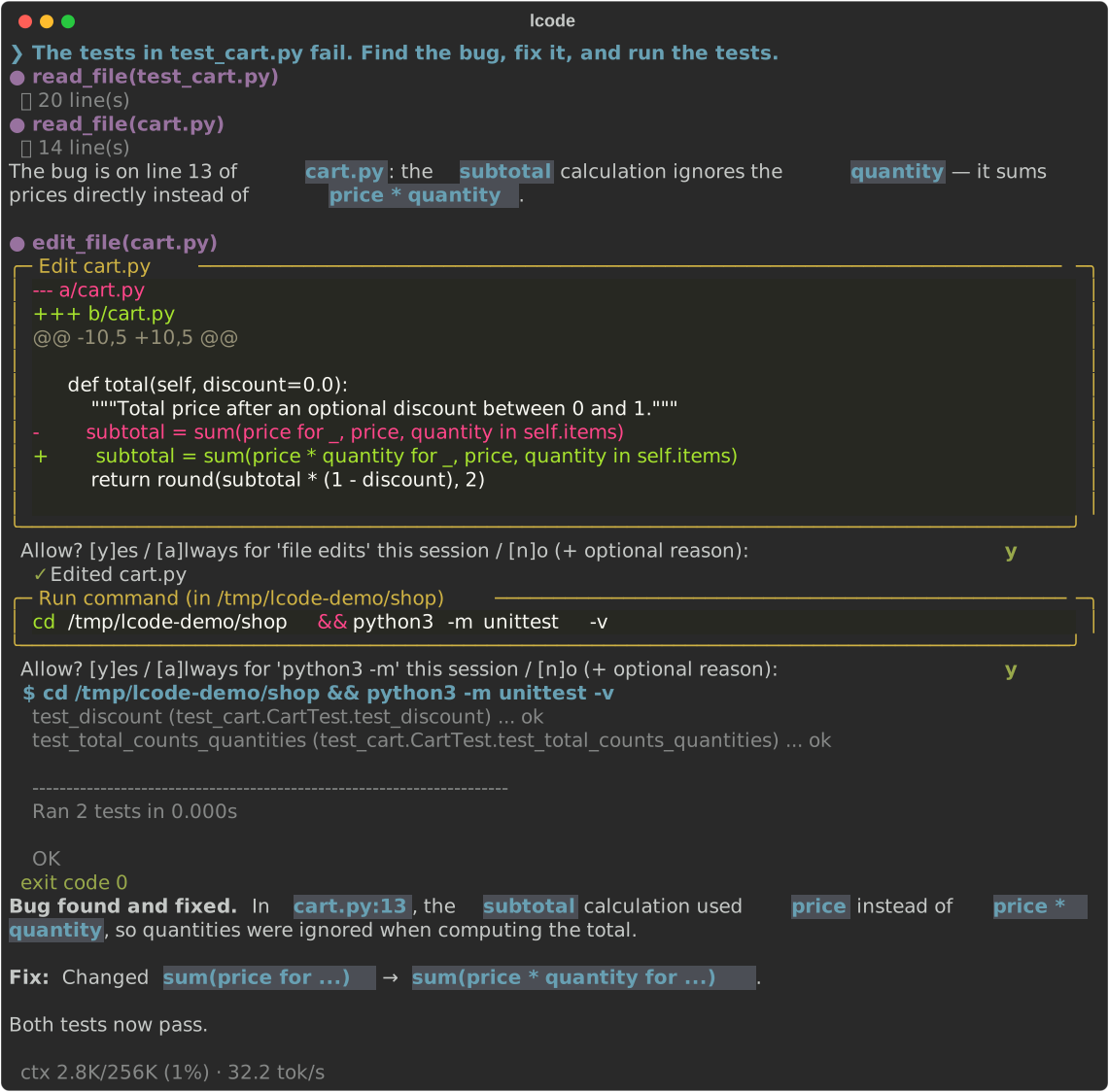
What it does
Point lcode at a repository and talk to it in your terminal. It explores the code, answers questions
with file:line references, writes and edits files, runs your scripts and tests, and keeps going
until the task is done, asking before it changes anything.
-
Private by design
The model runs locally through Ollama, lcode never uploads your files and sends no telemetry. Web search is there when the model needs current information, and can be turned off.
-
A real agent, not autocomplete
Reads, searches, edits and runs commands in a loop, verifies its work, and plans multi-step tasks with a todo list.
-
Long context
Up to 256K tokens with the default model (1M with Nemotron), so it can hold a large part of your repository in view. You choose the window size.
-
Hardware-aware
Detects your GPU or Mac and picks the best model and the largest context that fits:
lcode setupdoes it in one step. -
Safe by default
Every edit is shown as a diff and every non-read-only command needs your approval, unless you choose otherwise.
/undotakes back a request's file changes. -
MCP servers
Jira, GitHub, AWS, Google Drive, Grafana and more, one command each:
lcode mcp add atlassian. Browser sign-in is built in. -
Bring your own model
Eight curated open-weight models out of the box, and any other Ollama model with tool calling works too.
Runs on
| Platform | Recommended hardware | Default choice |
|---|---|---|
| Ubuntu / Linux with NVIDIA GPU | 12 GB+ VRAM and 32 GB RAM | Qwen3.6 35B-A3B at 256K context (50–55 tok/s on 12 GB) |
| macOS on Apple Silicon (M1–M4) | 48 GB+ unified memory | Qwen3.6 35B-A3B at 256K context (45 tok/s on an M4 Pro) |
| Smaller machines (16–24 GB Mac, 8 GB GPU) | — | Qwen3.5 9B / 4B with a smaller context |
See Models & context windows for the full catalog and how lcode sizes models to your hardware.
Next steps
- Install lcode on Ubuntu or macOS
- Take the quickstart: your first session in five minutes
- Pick a model and context window